

TM 5-3895-385-23-2
0267
Joystick Installation -- Continued.
5. Install platform control (WP 0262).
6. Optimize joysticks (perform steps 1 40 of Joystick Optimization task).
END OF TASK
Joystick Optimization
1. Turn keyless engine switch to the AUX position (TM 5-3895-385-10).
2. Enter the setup screen through the display on the control pedestal (TM 5-3895-385-10).
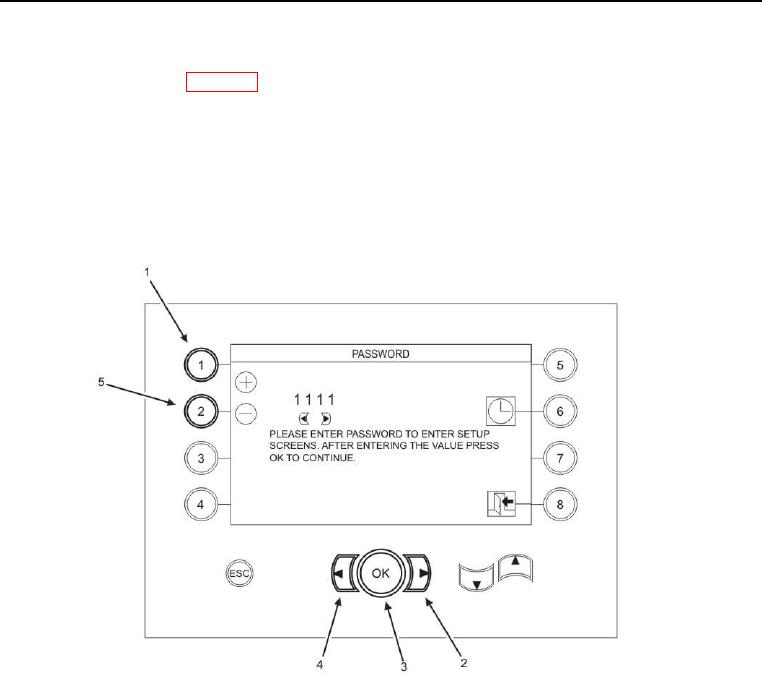
Figure 2. Password Screen.
3. Enter the password 8189 using the left (Figure 2, Item 4) and right (Figure 2, Item 2) keys to highlight the
number to be changed and the plus (Figure 2, Item 1) and minus (Figure 2, Item 5) keys to change the value
of the number highlighted.
4. Press the OK key (Figure 2, Item 3) to proceed to the next screen.